
How to add a watermark to a PDF
A watermark like “COPY” or “CONFIDENTIAL” shows that a document is not the original, is a draft, or must not be shared further. It’s a simple way to protect a copy of your ID or a contract you send for review. Here’s how to add one on Windows, with a live preview, without uploading the file.
Pro feature – try it 3 times for free. Pro costs $13 once, no subscription.
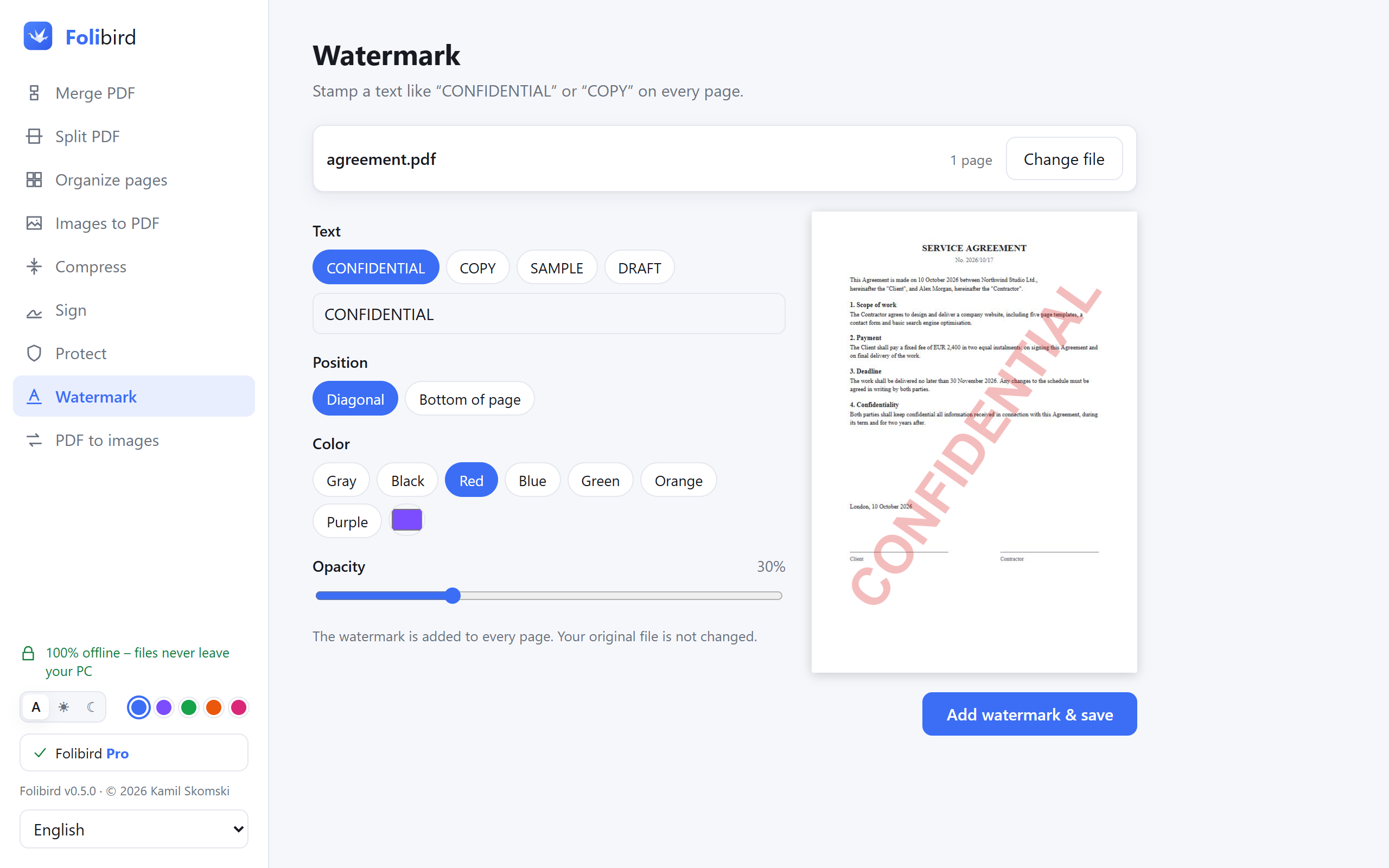
Step by step
Open the Watermark tool
Install Folibird, choose Watermark and pick the PDF.
Choose the text
Pick a ready text – CONFIDENTIAL, COPY, DRAFT – or type your own, e.g. “Copy for XYZ Bank only”.
Adjust the look
Choose Diagonal across the page or Bottom of page, a color (or your own) and the opacity. The preview updates as you change things.
Save
Click Add watermark & save. The watermark is added to every page; your original file stays unchanged.
Why do it with Folibird
- Live preview – you see the result before saving
- Any text, any color, adjustable opacity
- Works on rotated and mixed-size pages
- The document stays on your computer
Frequently asked questions
Why put a watermark on a copy of my ID?
If you send a scan of your ID card or passport, a watermark like “Copy for XYZ only, 2026” makes it much harder to misuse that copy somewhere else.
Is adding a watermark free?
Watermarks are a Pro feature that you can use 3 times for free.
Can the watermark be removed?
The watermark becomes part of the page content. It can’t be switched off in a PDF reader, though – like any PDF content – it can be edited with specialized software.
Does the watermark cover the text?
It’s semi-transparent, and you choose the opacity, so the text below stays readable.