
How to fill in a PDF form without printing it
A school, an office or your employer sent you a PDF form – and you’re supposed to print it, fill it in by hand and scan it back. You don’t have to. You can type straight onto the PDF, tick the boxes and sign it on your PC, even if the form is just a scan with empty lines. Here’s how, without uploading your personal details to a website.
Pro feature – try it 3 times for free. Pro costs $13 once, no subscription.
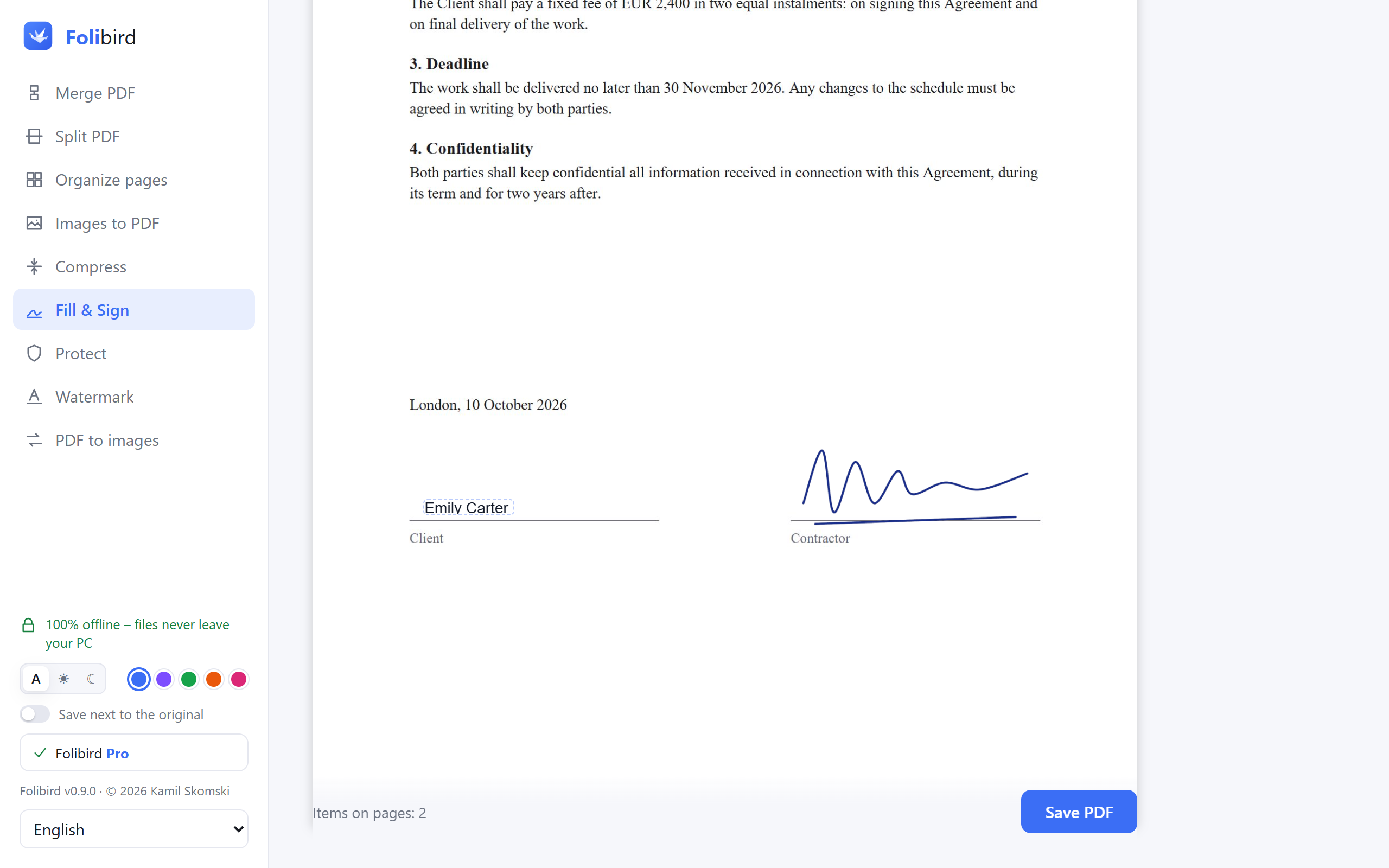
Step by step
Open the form in Fill & Sign
Install Folibird, choose Fill & Sign and pick the PDF – or right-click it in File Explorer and choose Folibird → Fill & Sign.
Type the answers
Click Text and type – your name, address, ID number, anything. Drag the field onto the right line with the round handle, and drag the corner to make the text bigger or smaller.
Add the date and tick the boxes
Date adds today’s date in one click. ✓ and ✗ put a check mark or a cross in the boxes you need.
Sign and save
Add your signature (draw it or use a photo of it) and click Save PDF. You get a new, filled-in copy – the original stays untouched.
Why do it with Folibird
- Works with every PDF – also scans and forms without fillable fields
- Real text with Polish and other accented letters, sharp when printed
- Your personal details never leave your computer
- Text, date, ✓, ✗ and signature in one tool
Frequently asked questions
Can I fill in a scanned PDF form?
Yes. Folibird doesn’t need special form fields – you can type anywhere on any page, including scans and photos converted to PDF.
Is filling in PDFs free?
Fill & Sign is a Pro feature that you can use 3 times for free – enough to finish the form you need today.
Will the text look like it was printed?
Yes. It’s added as real text in Arial, so it stays sharp when zoomed in or printed, and it can be searched and copied.
Can I change the text size?
Yes – select the text and drag the blue corner. The field grows as you type, so long answers fit too.